
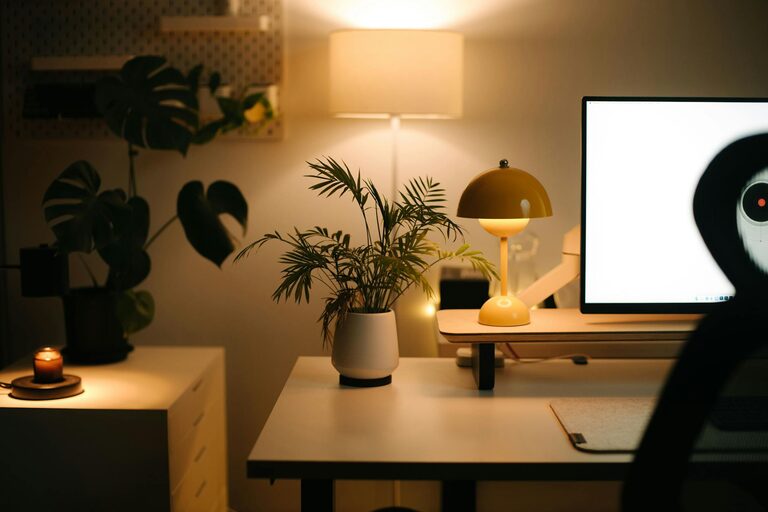
Creating a home office that feels both cozy and productive can make a significant difference in how you work from home. Whether you are setting up a new space or refreshing an existing one, the goal is to blend comfort with functionality. This guide offers practical tips to help you design a home office that supports your work while making it a pleasant place to spend your time.
Choose the Right Location
Assess Your Space Options
Start by identifying a spot in your home that suits your needs. It could be a spare room, a corner in the living room, or even a section of your bedroom. Consider privacy, natural light, and noise levels when selecting your location.
Maximize Natural Light
Natural light boosts mood and energy. Position your desk near a window if possible. If your space lacks sunlight, invest in quality artificial lighting to keep your office bright and inviting.
Invest in Comfortable and Functional Furniture
Ergonomic Chair and Desk
Comfort is crucial for long hours of work. Choose an ergonomic chair that supports your posture and a desk at a comfortable height. Adjustable furniture options allow you to personalize your setup.
Utilize Storage Solutions
Keep your workspace organized with shelves, drawers, or filing cabinets. Decluttering your desk area creates a stress-free environment and helps you find things quickly.
Personalize Your Workspace
Add Soft Textures
Incorporate cozy elements like a soft rug, cushions, or a throw blanket. These textures not only make your office feel warmer but also add visual interest.
Choose Calming Colors
Color influences mood. Soft blues, greens, or neutral tones tend to create a calming atmosphere. You can also add pops of color through accessories or artwork to keep the space lively.
Optimize Technology and Connectivity
Reliable Internet Connection
Ensure your internet connection is fast and stable to avoid interruptions. Consider wired connections or signal boosters if your Wi-Fi is weak.
Efficient Equipment Setup
Organize your computer, printer, and other devices to minimize clutter. Cord management solutions can keep wires neat and reduce distractions.
Create a Routine-Friendly Environment
Define Work Zones
If space allows, separate your work area from zones meant for relaxation or other activities. This physical distinction helps your mind shift into work mode when you enter your office.
Keep Essentials Within Reach
Organize frequently used items like notebooks, pens, and chargers within arm’s length. This minimizes distractions and keeps you focused.
Incorporate Greenery and Personal Touches
Houseplants for Freshness
Plants improve air quality and add life to your office. Low-maintenance plants like succulents or snake plants are perfect for busy professionals.
Display Inspiring Items
Surround yourself with photos, artwork, or motivational quotes that encourage creativity and positivity.
Manage Noise and Distractions
Use Noise-Canceling Tools
If you work in a noisy environment, consider noise-canceling headphones or sound machine apps for concentration.
Communicate Boundaries
Inform family or housemates of your work hours to reduce interruptions.
Maintain Cleanliness and Regular Updates
Daily Tidying
Spend a few minutes each day clearing your desk to keep the space inviting.
Refresh Your Space Periodically
Rearranging furniture, changing décor, or adding new plants can renew your enthusiasm for your workspace.
—
By combining these elements, you can create a home office space that not only feels cozy and inviting but also enhances your productivity. Remember, the best home office reflects your personal style and meets your specific working needs.